Getting Things Done,
finally done right.
A fast, calm app for David Allen's GTD method, the one that keeps your head clear by moving every commitment out of memory and into a system you trust. Built by someone who's practiced it for twenty-five years and already built one GTD app.
14 days free. No credit card required.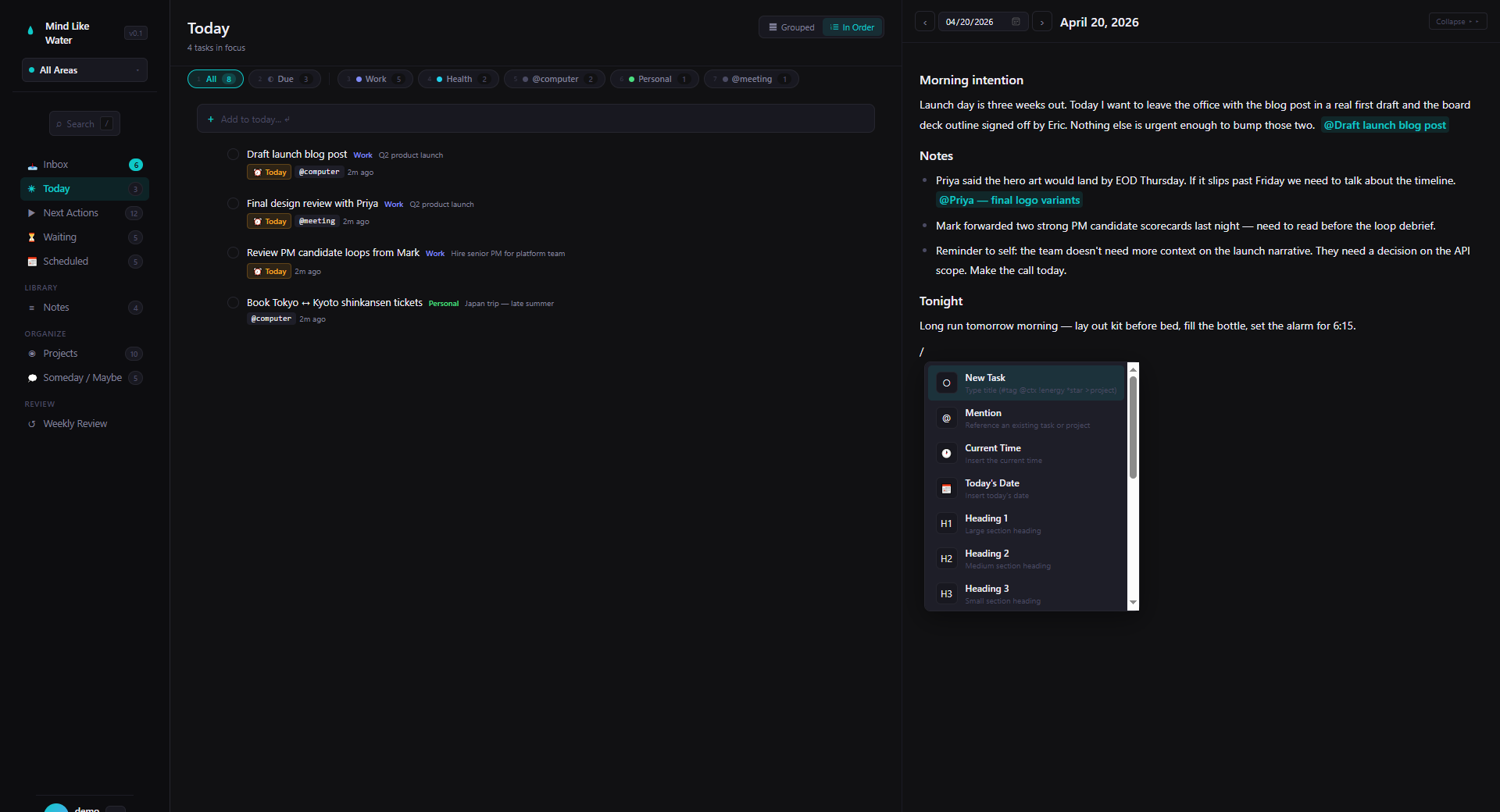
You've tried everything. Nothing fits.
You read the GTD book. You believed it. Then you spent a decade trying to run it inside tools that weren't designed for it.
In karate, there's an image used to define the position of perfect readiness: mind like water. Imagine throwing a pebble into a still pond. How does it respond? Totally appropriately to the force and mass of the input, then returns to calm. It doesn't overreact or underreact.— David Allen, Getting Things Done
The loop, without the friction.
GTD done right is three moves: capture, clarify, engage. Mind Like Water is built so each one takes seconds, not minutes.
Get it out of your head.
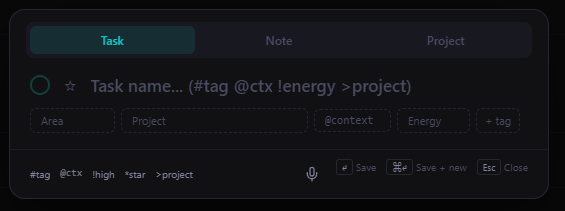
Press N anywhere to drop a task or note into Inbox. No forms, no fussing, no app to open. Deal with it later. Right now, just get it out of your head.
One click to the right place.
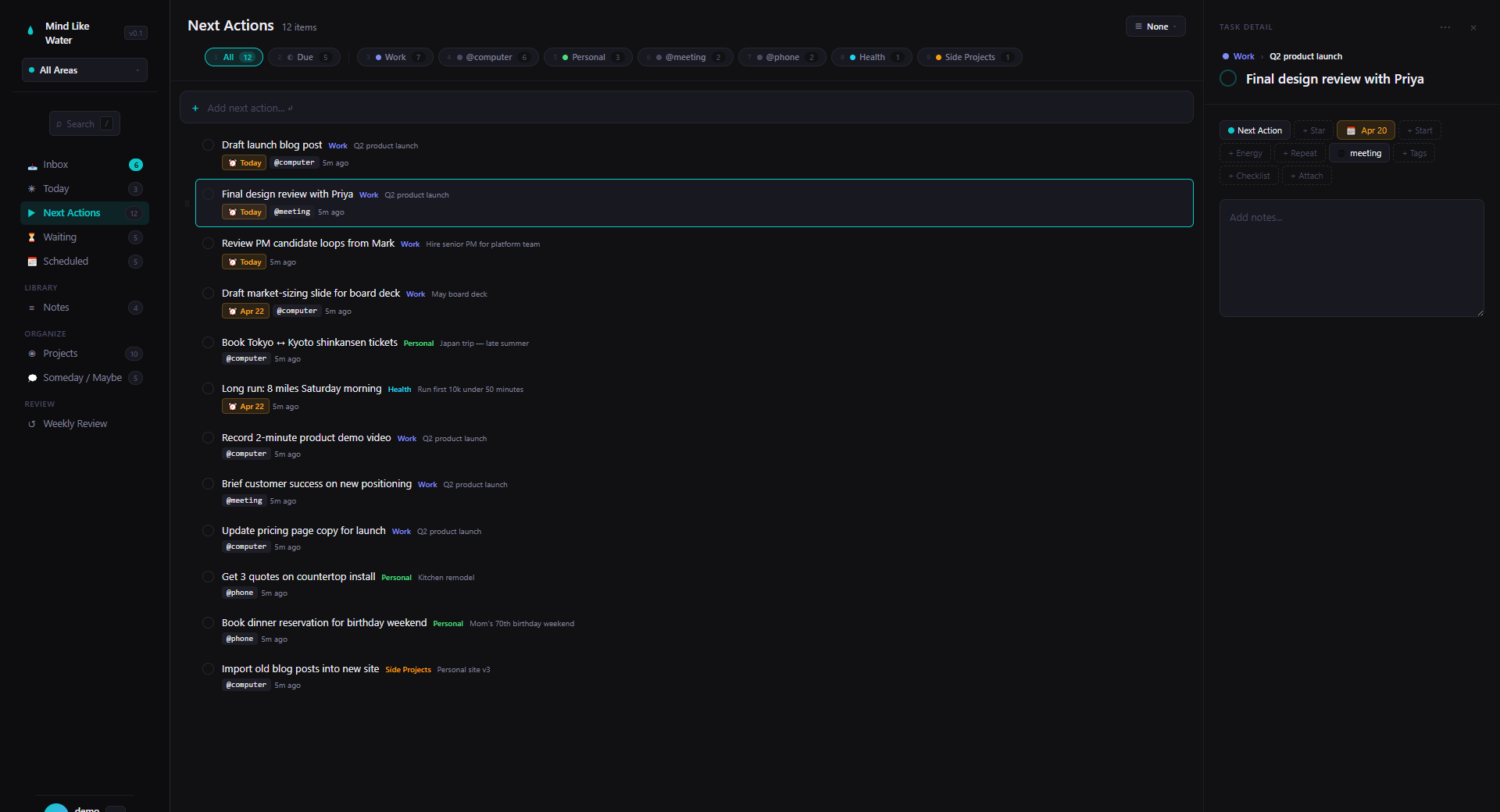
Turn inbox items into Next Actions, Projects with outcomes, Someday/Maybe, or Reference. Then slice the list by Area, context tag, or due date. Every view filters the same way, so your muscle memory works everywhere.
Know what to do next, wherever you are.
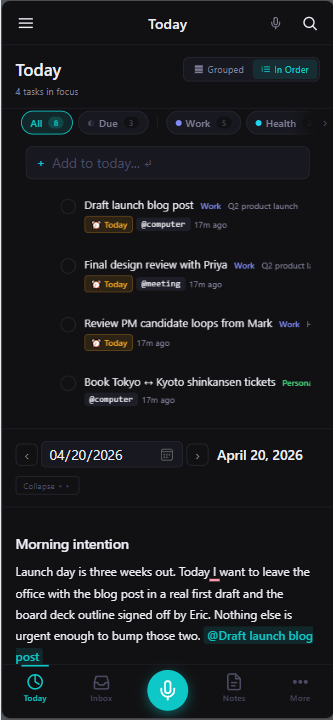
Today view surfaces what's due, starred, and in focus. Weekly Review is one keystroke away on your laptop, one tap away on your phone. And if something lands in your head mid-walk, the microphone button is always right there.
Notes and tasks belong together.
Every other GTD tool makes you pick one or the other, then tacks on the second as an afterthought. Mind Like Water was built to hold both from day one: equal partners, linked together.
Notes and tasks, finally on the same page.
A real writing surface: headings, tables, images, checklists. Type /task to drop a real task right into the note. It shows up as a clickable chip you can check off in place, and it appears everywhere else a task lives: Today, Next Actions, the Inbox, your project page. Same row, two surfaces. Rename the note, edit the task, complete it from anywhere. Every view stays in sync.
No more hopping between a notes app and a tasks app. No more copy-paste. No more "where did I put that."
Read more →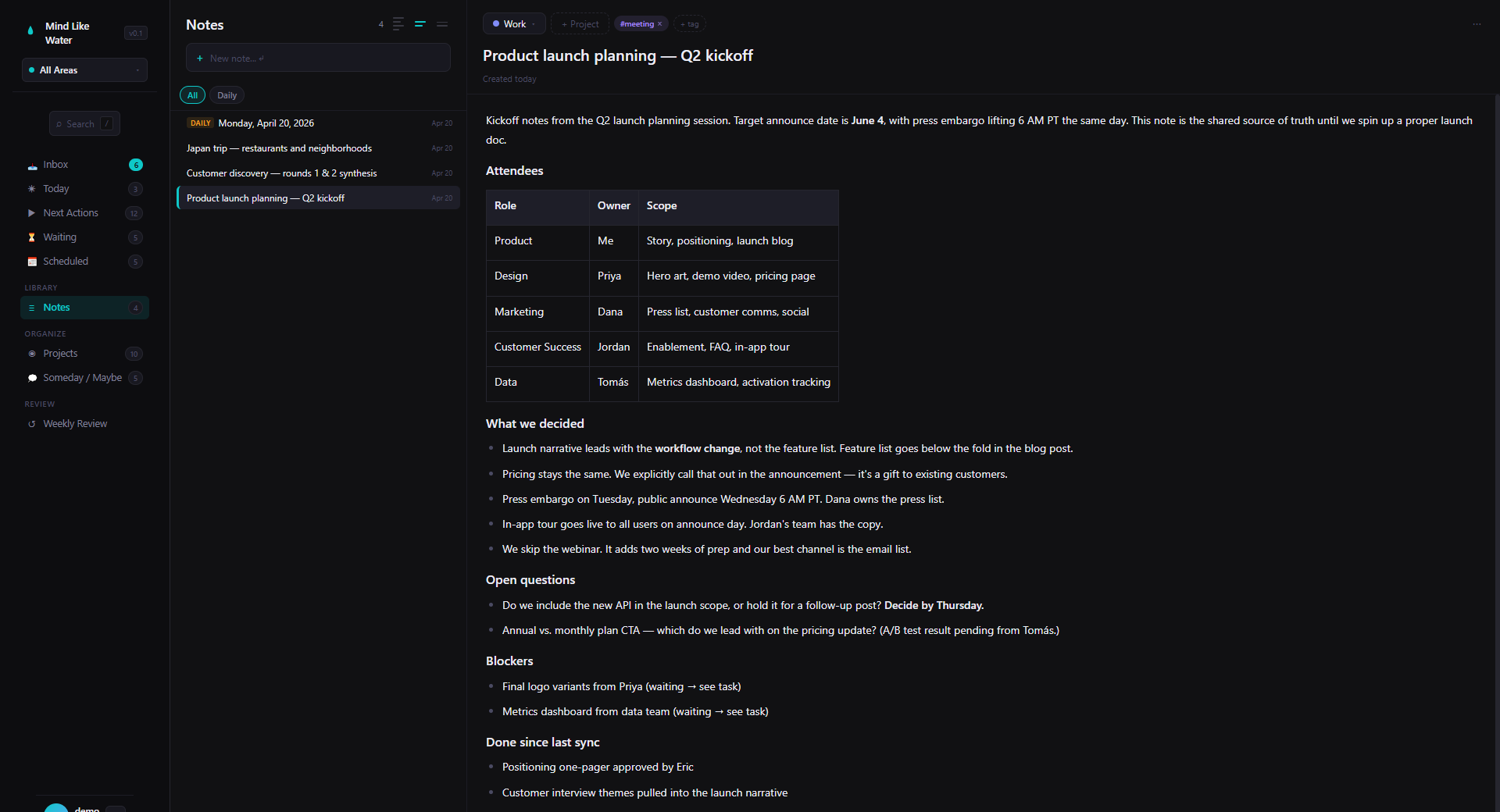
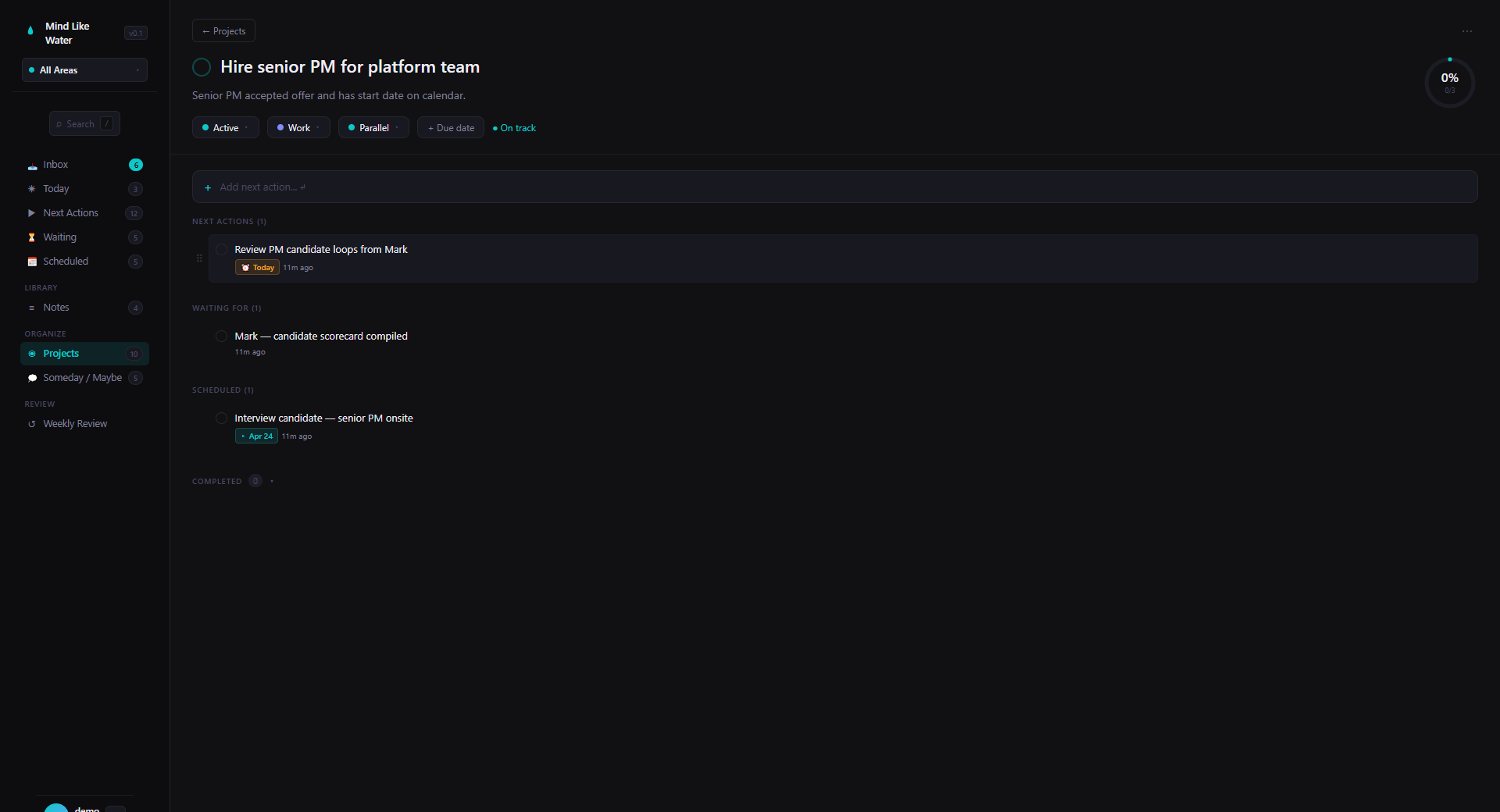
Tasks that know where they belong.
Tasks live inside Projects with explicit outcomes, under Areas of Focus. Not just a flat list with tags. A real GTD hierarchy, the way the book describes it.
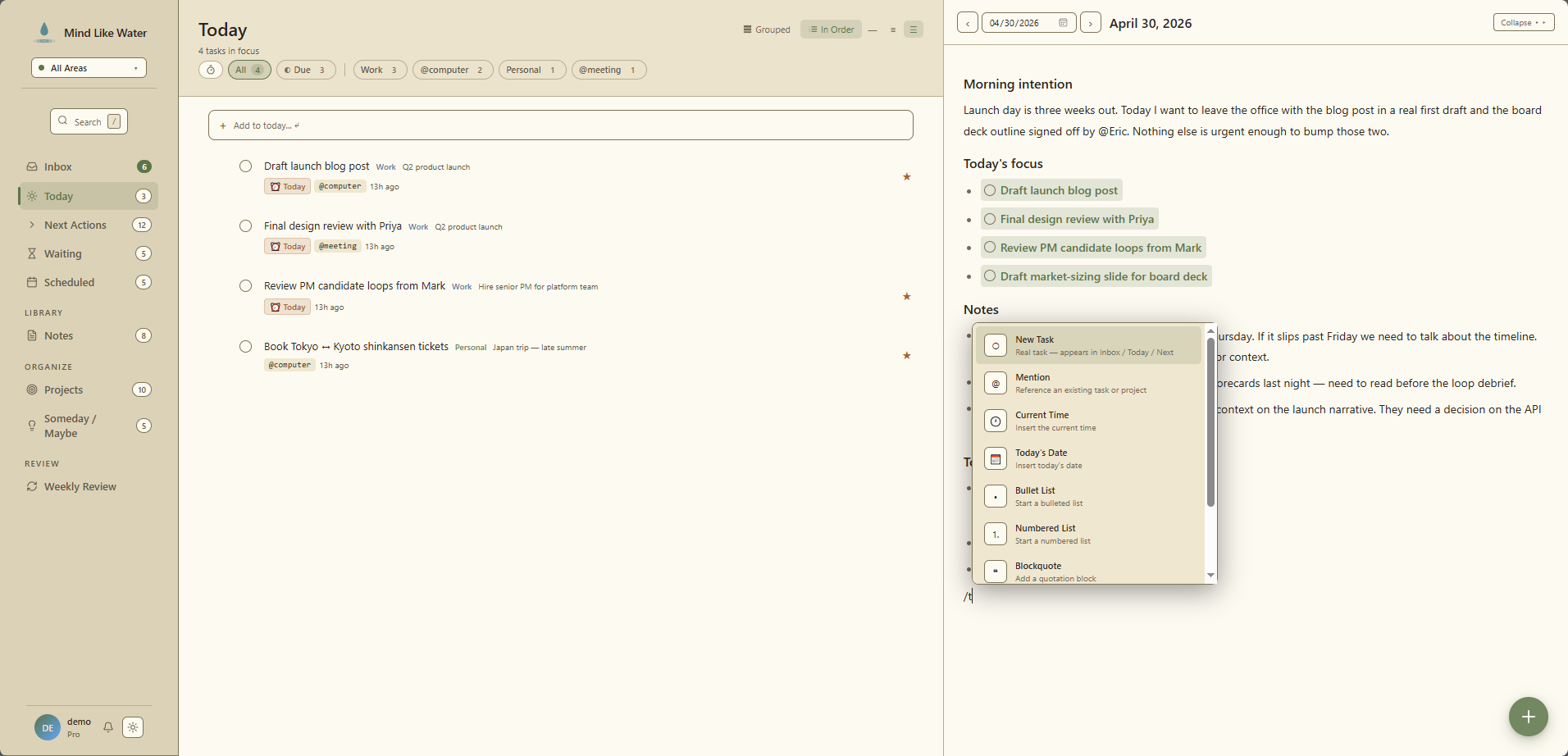
A daily page that actually gets used.
A writing surface attached to today, with tasks and projects mentioned inline. Journal meets planner. Review yesterday, plan today, write what you're thinking, all in one place.
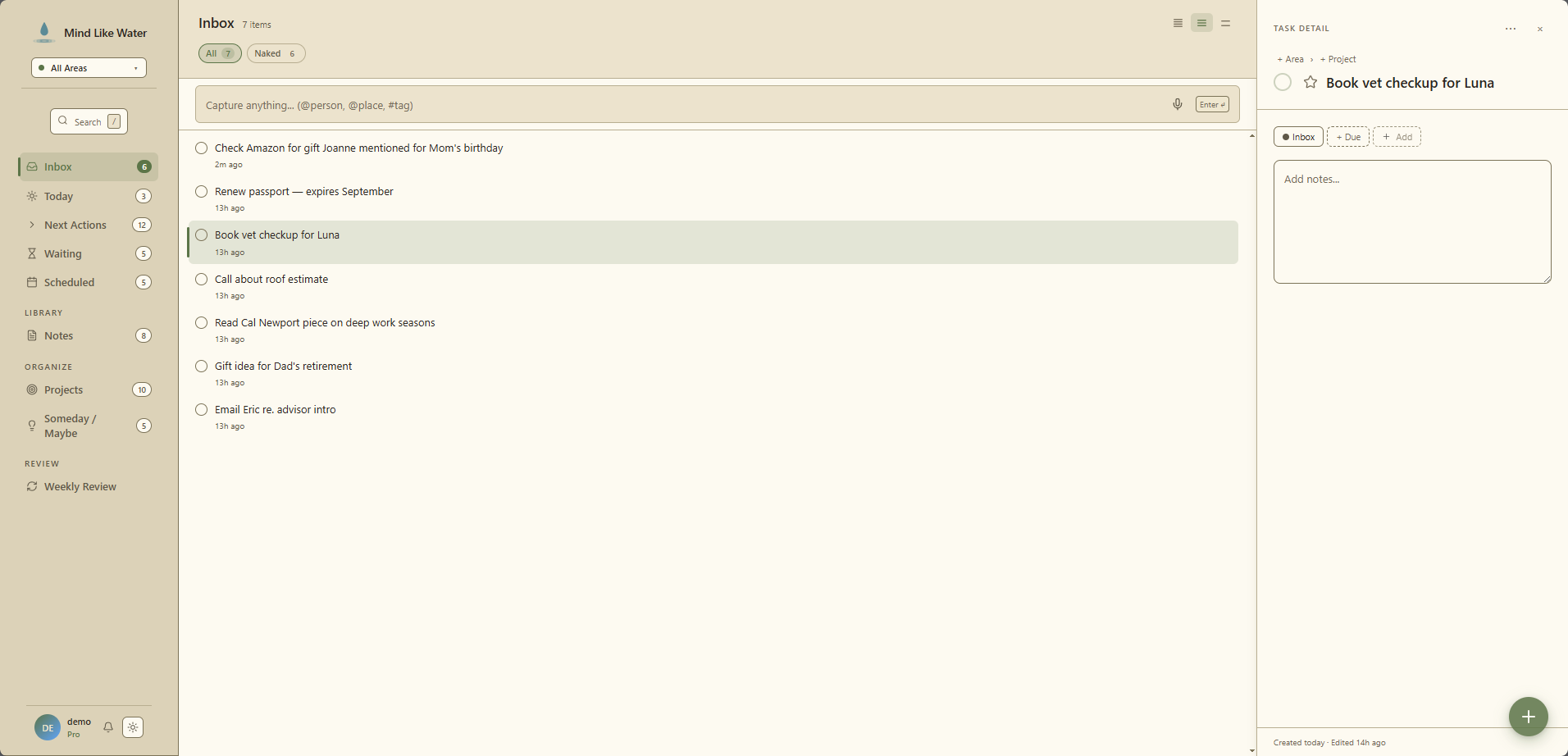
New One inbox. Tasks and notes.
Capture anything (a task in the moment, a note from a meeting, a thought you'll figure out later) and it lands in one place. The Inbox view shows tasks and notes side by side, each in their own collapsible section, so triage feels like a single pass instead of two separate apps. Classify a note with an area or project and it auto-files itself out of inbox; one less click.
New Stop tagging your own tasks.
The hidden tax of every GTD tool: every task you capture, you have to classify. Area, project, context, due date, tags. Minutes of metadata for thirty seconds of intent. Mind Like Water reads what you typed (or said) and proposes the metadata for you. You confirm with a glance.
Hit Shift + N on desktop or the microphone button on mobile and just talk. AI pulls out the task, the due date, the area, and any person or context you mentioned, then drops it into your Inbox already structured. Same model runs on typed captures: you write a sentence, the system fills in the rest. The friction that makes most people quit GTD is gone.
Read more →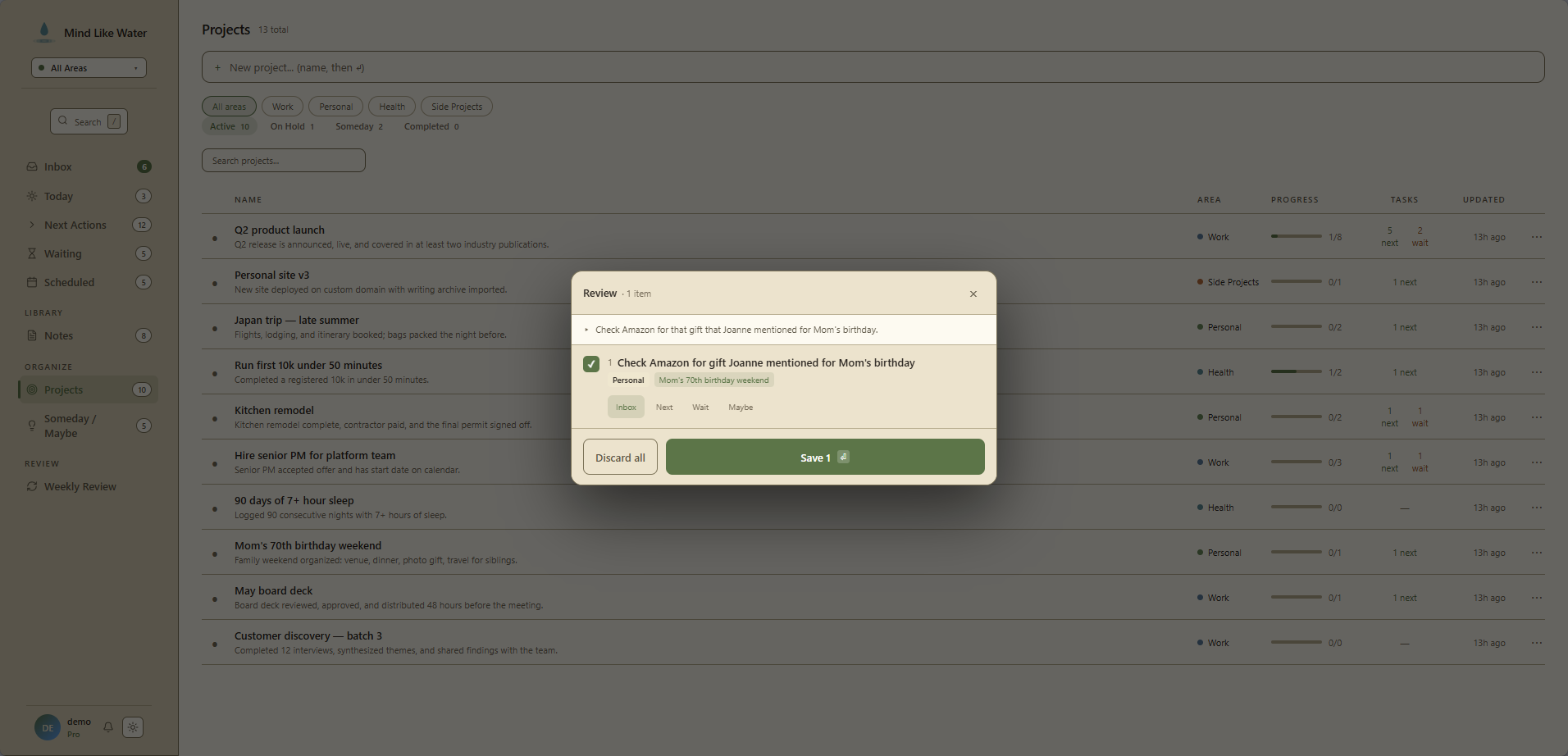
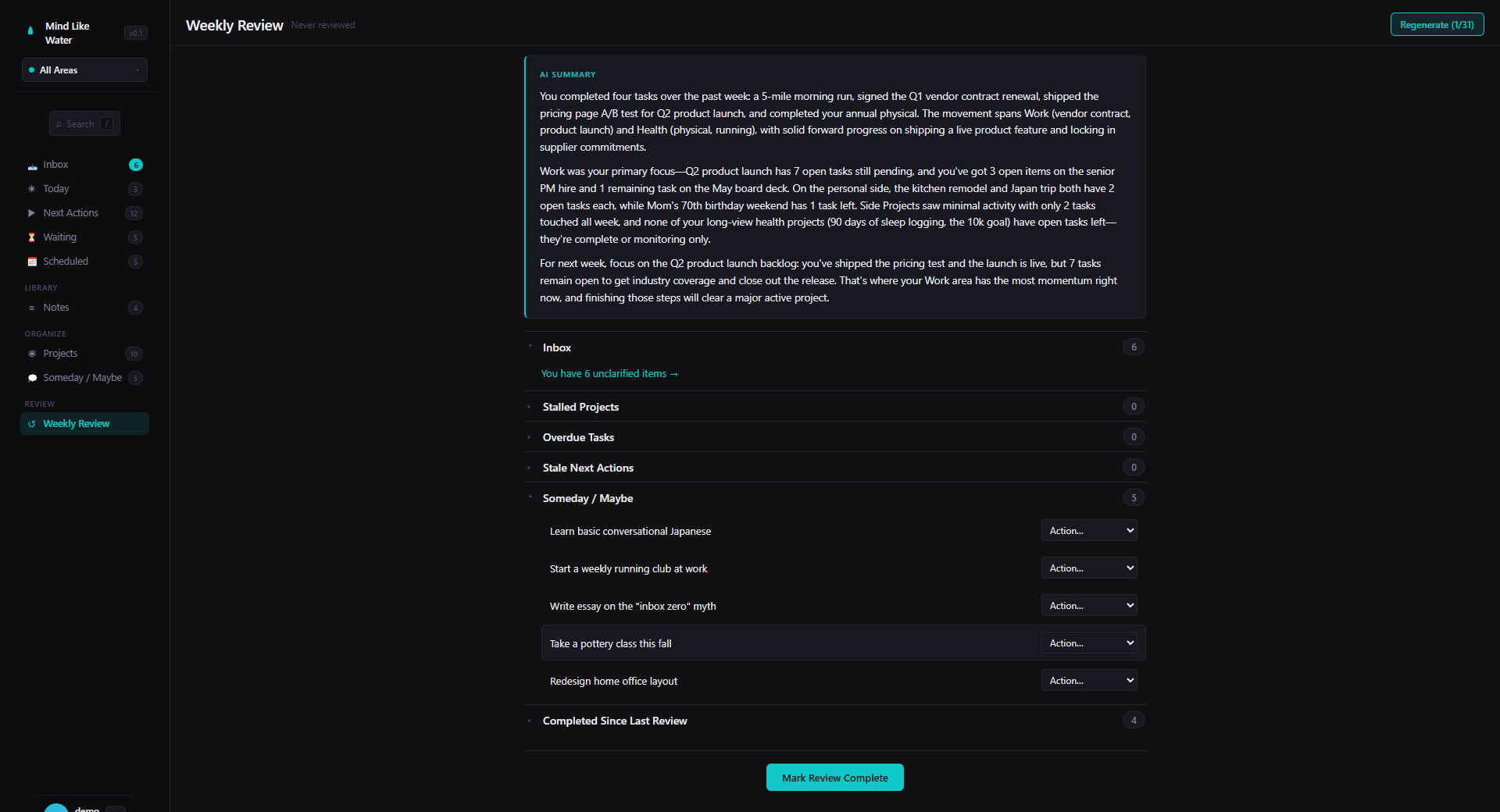
New The review that used to take an hour, done in ten minutes.
Weekly Review is the ritual that makes GTD work, and the one almost everyone skips. Mind Like Water reads your week and writes you a clear summary: what you finished, where you're stuck, what deserves attention next. You still make the decisions. The app does the reading for you.
Never touch the mouse if you don't want to.
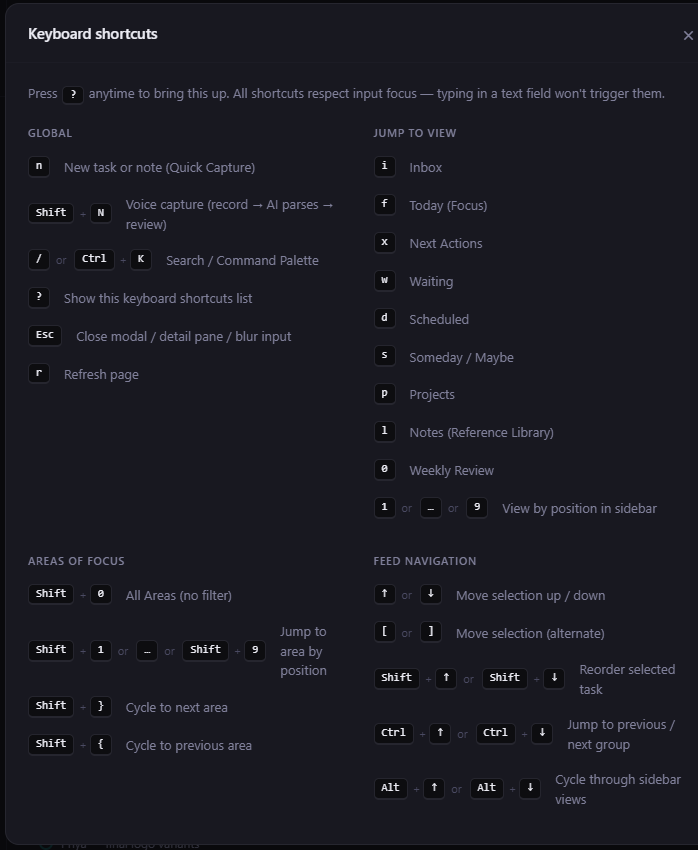
Every action has a shortcut, and every shortcut respects context. Typing in a text field never triggers a view jump. Press ? anywhere to open the full list. Forget it once, see it once, remember it forever.
How we stack up.
Every app on this list is good at something. None of them is built end-to-end around the way David Allen actually describes the system.
| Mind Like Water | Todoist | Things | OmniFocus | Nirvana | Amplenote | Notion | Obsidian | |
|---|---|---|---|---|---|---|---|---|
| Built around the full GTD method: projects with outcomes, Areas of Focus, Someday/Maybe, Reference | ✓ | ~ | ~ | ✓ | ✓ | ~ | — | — |
| Notes and tasks are equal partners, not an afterthought | ✓ | — | — | — | — | ✓ | ~ | ~ |
| You can run the whole thing from the keyboard | ✓ | ~ | ~ | ~ | ~ | ~ | — | ✓ |
| Areas of Focus are a real part of the structure, not just a tag | ✓ | — | ~ | ✓ | ✓ | — | — | — |
| A daily journal page built in: write, plan, reflect in one place | ✓ | — | — | — | — | ✓ | ~ | ✓ |
| Opens in any browser on any device | ✓ | ✓ | — | — | ✓ | ✓ | ✓ | — |
| AI fills in the metadata on every capture (area, project, due date, tags), typed or spoken | ✓ | — | — | — | — | — | — | — |
| Real tasks live inside notes. Check them off in the note or anywhere else, all in sync | ✓ | — | — | — | — | ~ | ~ | ~ |
| AI-written weekly review: reads your week and tells you where to look | ✓ | — | — | — | — | — | — | — |
| A modern, calm design. Not a spreadsheet or a power-user console | ✓ | ✓ | ✓ | ~ | ~ | ~ | ~ | ~ |
Twenty-five years of GTD. Two GTD apps.
I've been practicing GTD since the book came out. I've re-read it every couple of years, went through the official GTD training, and on my own time ran training sessions on it for teams inside a large tech company. It mattered enough to me that I wanted other people to have it too.
I've also spent twenty years building software at some of the largest tech companies in the world, and I've tried nearly every task and notes app ever made. Todoist, OmniFocus, Things, Nirvana, Notion, Obsidian, Apple Notes, Roam, Logseq, and a dozen more. Each gets something right. None gets it all right.
In 2014 I co-founded GTDNext, a web-based GTD tool. I ran it with my co-founder for seven years and was one of its heaviest users. In late 2020 I sold my share and stepped away. Good run, good product. But by the end I had a long list of things I'd do differently if I started over.
Mind Like Water is that list, built. A strict take on Getting Things Done. A modern, calm design. Everything driven by the keyboard. Notes and tasks as equal partners, not afterthoughts. Opens in any browser on any device. Nothing tacked on, nothing half-done.
If you've been bouncing between apps trying to stitch something together, this is the one I built for us.

Things people ask.
Do I need to already know GTD to use this?
How is this different from Todoist / Things / OmniFocus / Notion?
Can I import my data from another app?
Does it work offline?
Is there a mobile app?
How is my data stored and secured?
What happens after the 14-day trial?
Can I cancel anytime?
Try it for 14 days. No card.
If it's not better than what you're using now, you've lost nothing. If it is, $5/mo while founding spots last.