The metadata fills itself in.
Capture a task in your own words. Mind Like Water proposes the area, the project, the tags, the due date. You tap to accept. The thirty-second classification ritual that breaks every other GTD app — gone.
Try it free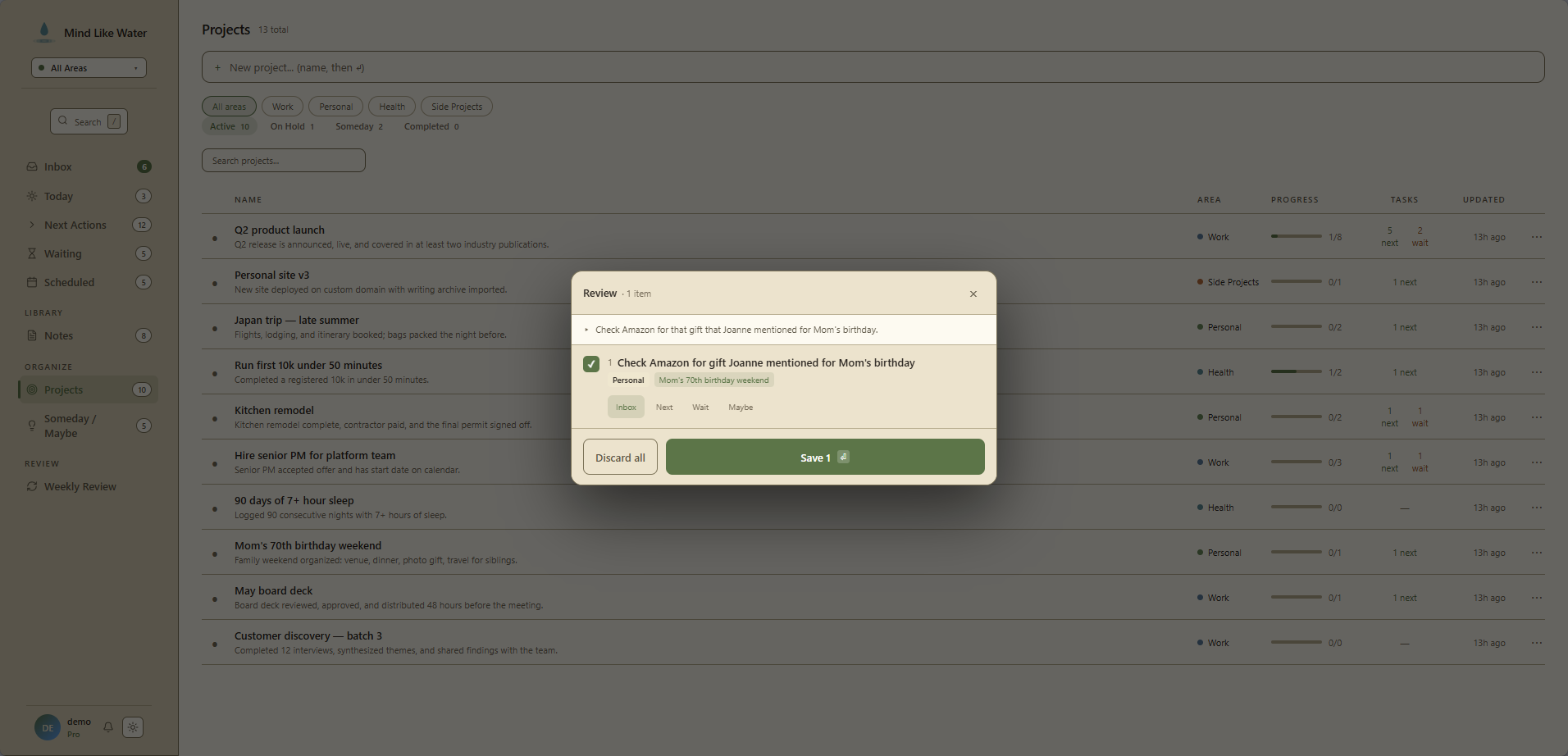
The friction that makes most people quit GTD
You know the move. You captured a task. It's five words long. Now it's time to classify it. Pick the area. Pick the project. Add a context tag. Maybe a due date. Maybe star it. Save.
That second pass is where every GTD system you've tried collapsed. The classify step is bigger than the capture step, so over time you stop classifying. The list goes flat. Things get missed. The system stops working. You blame yourself. You switch apps.
We don't blame you. The friction was real. AI capture is the answer.
How it works
Capture a task however you want — type it, speak it, send it in by email, jot it from your phone. It lands in your Inbox like any other capture.
Open it. Above the normal chip row, you see a row of dashed chips labeled "Suggested." Each one is a proposal: an area, a project, a couple of tags, maybe a due date pulled from the words you used.
- Tap a chip to accept — that field gets set on the task.
- Tap the small × to dismiss — that proposal goes away.
- Ignore them and they quietly disappear when you close the task.
Nothing is applied silently. You're always the one in charge of what lands on the task.
What gets proposed
- Area — matched against the Areas you've actually defined. Personal, Work, Health, whatever you've set up.
- Project — matched against your active projects. The whole list, not a sample.
- Existing tags — up to four of your actual tags that look like a fit (any kind: people, contexts, topics).
- New tags worth creating — up to three suggestions for tags you don't have yet. They show up with a "+ create" prefix; tapping creates the tag and applies it in one move.
- Due date — only when the title has a real date phrase. "Friday," "tomorrow morning," "before the demo." If there's no signal, no date.
- Waiting status — when the title clearly says you're blocked on someone else. "Waiting on Sam," "blocked by legal."
If the model isn't confident about something, it stays empty. A model that's good at saying "I don't know" beats one that's confident and wrong.
Voice and typed, same engine
Whether you typed the task or spoke it into the microphone, the same AI reads it and proposes the same kinds of metadata. The only difference is calibration: when you typed deliberately, the model is more careful before suggesting; when you talked off the cuff, it's a little more aggressive about catching what you meant.
The mental model: capture is a sentence. Classification is a row of chips. The AI offers chips. You take what's right and ignore what isn't.
What this gets right that other tools miss
It assumes the AI is sometimes wrong
Plenty of apps have tried "smart capture" and they tend to fail in the same way: the AI sets a field, you don't notice, and a week later you can't find the task because it's filed in the wrong place. We didn't want that.
Suggestions are dashed chips above the chip row, not values written into the task. You see them, you decide, you tap. The interaction is closer to autocomplete than to a smart assistant — you stay in charge.
It uses your structure, not generic categories
The model knows your areas, your projects, your tags, your contacts. It doesn't propose "general" or "miscellaneous." It proposes your Q2 launch project or your Personal area. The suggestions fit your system because they were drawn from it.
It learns from what you actually accept
Every time you accept or dismiss a suggestion, the system tunes a little. Repeatedly dismissing project suggestions raises the bar for future project suggestions specifically. Accepting a particular tag combo enough times makes it easier to get back. After a couple of weeks of normal use, you'll notice the suggestions feel like yours.
The smart-syntax fallback is still there
If you'd rather just type the metadata yourself, smart-syntax shortcuts work like they always have. Buy paint #errands @home *star >Kitchen Reno sets the chips directly. Whichever feels faster on a given day.
Privacy and control
We use Anthropic's Claude to do the classification. Each request sends:
- The task title (and the voice transcript, if it came from voice)
- The names of your areas, projects, tags, and contacts — so it can match against what you have
- Your last ~10 accepted suggestions as examples of how you organize
That's it. Other tasks, your notes, your calendar, anything else you've stored in the app — none of it is sent. Anthropic doesn't retain or train on the requests.
Settings → AI lets you switch the whole thing off. The rest of the app keeps working — manual capture, manual classification, the same way every other GTD tool has always worked. Pro accounts default to AI on; you can choose otherwise.
Frequently asked
Both. Whether you typed the task in Quick Capture or dictated it through Voice Capture, the same engine reads what you said and proposes metadata. Voice gets a slightly looser confidence threshold since spoken capture tends to be less deliberate.
Open the task in the detail pane and a row of dashed chips appears above the normal chip row, marked "Suggested." Tap a chip to accept it; tap the small × to dismiss it. Nothing is applied to your task without your tap.
Area, project, existing tags, brand-new tags worth creating, due date when there's a clear date phrase in the title, and a Waiting status when the title says you're blocked on someone.
Yes. We use Anthropic's Claude. We send the task title, the names of your areas, projects, tags, and contacts, and your last ten accepted suggestions as examples. Nothing else from your account is sent — not other tasks, not notes, not your calendar. Anthropic doesn't retain or train on the requests.
Yes. AI capture is part of Pro ($8/month or $72/year). The free plan still has the full GTD app, just without AI suggestions. You can also turn AI off entirely from Settings → AI, even on Pro.
Three options. Use the smart-syntax shortcuts in the title (#errands, @home, *star, >Project Name). Set the chips manually in the detail pane. Or turn AI off in Settings — the rest of the app keeps working exactly the same.
Try AI capture free.
14 days, no credit card. Capture a few tasks the old way and a few the new way. You'll feel the difference.
Start free trial Free for 14 days. Pro is $8/month after.