A real part of the structure. Not just a tag.
In most GTD apps, "Areas of Focus" is a color-coded label. In Mind Like Water, it's the scope the whole app sees through — one click in the sidebar reframes everything to the part of your life you're working on right now.
Try it free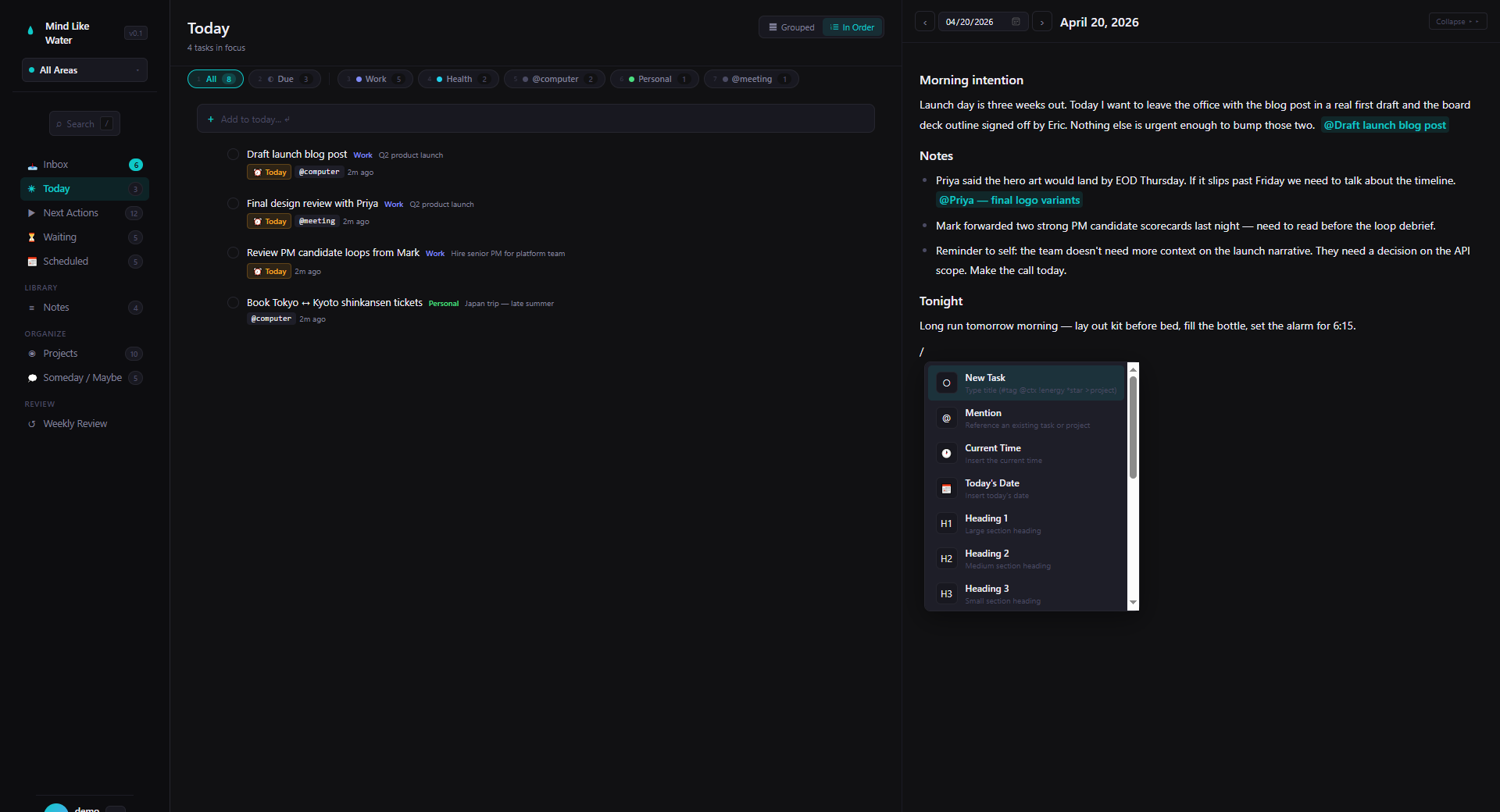
What David Allen actually meant
Areas of Focus, in the original Getting Things Done, are the standing commitments in your life — the ongoing roles where you have to maintain a standard rather than complete a project. Career. Parenting. Health. Home. Finances. A side hustle. The lens that lets you ask, every week, "am I keeping up with this?"
It's one of the most useful ideas in the book. It's also the one almost every GTD app gets wrong — they ship Areas as a color tag and call it done. A tag is metadata you add to an item. An Area is a scope the whole system needs to respect.
How Areas work in Mind Like Water
At the top of the sidebar there's an Areas switcher — default is "All Areas." Click into a specific Area and the whole workspace narrows:
- Today, Next Actions, Waiting, Scheduled, Someday, Projects, Notes — every view filters to just the selected Area.
- Counts in the sidebar reflect the scoped count, not the global count.
- Quick Capture defaults the new task or note to the active Area, so capturing while focused on Personal doesn't drop a task into Work by accident.
- Inbox is the exception — it's the universal capture spot, so it always shows everything. The first thing you do in Inbox is decide what each item belongs to, and that decision is what assigns it an Area.
Click "All Areas" to drop the filter and see everything. The view you were on stays put — only the data widens.
The mental model: the Areas switcher is a lens. The data underneath doesn't move; what you see through the lens narrows or widens.
Why "scope, not tag" matters
You can't actually focus when everything is on screen
The hardest part of GTD in practice is staying engaged with what's in front of you when 200 other open loops are visible in your peripheral vision. A tag-based "area" doesn't help — your task list is still the same flat thing, it just has a colored dot. A scope-based Area gives you a single click to make the unrelated stuff not exist for the next hour.
It maps to how your day actually flows
You're not in "Work mode" and "Personal mode" simultaneously, even if your task list is. Most people block their day in chunks — morning is Work, afternoon is Work, evening is Personal. The Areas switcher lets the app match that rhythm. Click into Personal at 6 PM and the day's remaining work tasks stop nagging you.
It makes the weekly review tractable
GTD's weekly review is a four-step pass through every Area, asking "what's stalled, what's next, what should I close out?" When Areas are first-class, you can do that one Area at a time. When Areas are tags, the entire list is in front of you the whole time and the review never ends.
Setting up your Areas
Settings → Areas of Focus. Add as many as you need. Each Area has a name and a color picked from the palette; both edit inline.
Pricing note: the first two Areas are free. More come with Pro. We picked two because that's enough to feel the value — Work and Personal alone is already a meaningful workspace narrowing — but most people who keep using the app add a couple more after a few weeks.
What makes a good Area
Good Areas are roles or zones of life — "Parent," "Work," "Health," "Trading Account." They persist for years. Bad Areas are projects pretending to be Areas — "Launch the book," "Fix the garage." Those are projects. Projects end. Areas don't.
Rule of thumb: if you could finish it, it's a project. If you could never finish it, it's an Area.
How many?
GTD's classic guidance is 3 to 7. Below 3 and Areas don't really add structure; above 7 and they stop fitting in your head. Pick the smallest set that captures the standing commitments you actually want to keep an eye on.
Once you have them, everything snaps to them
Areas thread through the rest of the app:
- Projects belong to an Area. Filtering to Personal hides Work projects entirely.
- Notes can be assigned an Area. The kitchen-remodel note lives in Personal; the Q2 OKRs note lives in Work.
- Tasks created from a note inherit the note's Area automatically. Capturing while a note is open lands the task where it belongs without you doing anything.
- The AI capture engine uses your Areas as classification targets. It proposes "Personal" for "book vet appointment" because it knows your Areas, not because we hardcoded any of them.
- Tags belong to an Area too. Switching to Personal hides Work-only tags from the picker.
It's the kind of integration that compounds — every time we add a feature, Areas get to apply to it. The whole app reads as Areas-aware because Areas were there from the start.
Frequently asked
A tag is metadata you add to an item. An Area is a scope the whole app respects. Pick an Area in the sidebar and every view except Inbox filters to that Area's content. Tags don't reframe the workspace; Areas do.
Inbox is the universal capture spot — anything that hasn't been classified yet. If we hid it behind the Area filter, captures would feel like they vanished until you switched scopes back. So Inbox always shows everything; every other view honors the Area you've picked.
GTD's classic guidance is 3 to 7. The first two Areas are free; more come with Pro. Most people land at 4-6 — Work, Personal, Health, plus one for any side commitment that's a sustained part of life.
Roles or zones of life that persist for years — Work, Parent, Health, a particular hobby. Bad Areas are projects pretending to be Areas: "Launch the book," "Fix the garage." Those have endings. Areas don't. Rule of thumb: if you could finish it, it's a project.
No. Each task and project belongs to one Area, or none. The constraint is intentional — if everything could belong to multiple Areas, the scope filter wouldn't actually scope. Use tags for cross-cutting metadata; use Areas for the structure your life actually has.
Yes — rename, recolor, reorder, add more. Tasks and projects keep their Area assignment if you rename it; only an explicit reassignment moves them between Areas.
Try a tool that takes Areas seriously.
14 days free, no credit card. Set up your Areas in two minutes, then watch the whole app start respecting them.
Start free trial Free for 14 days. Pro is $8/month after.