Talk like a human. Get back structured tasks.
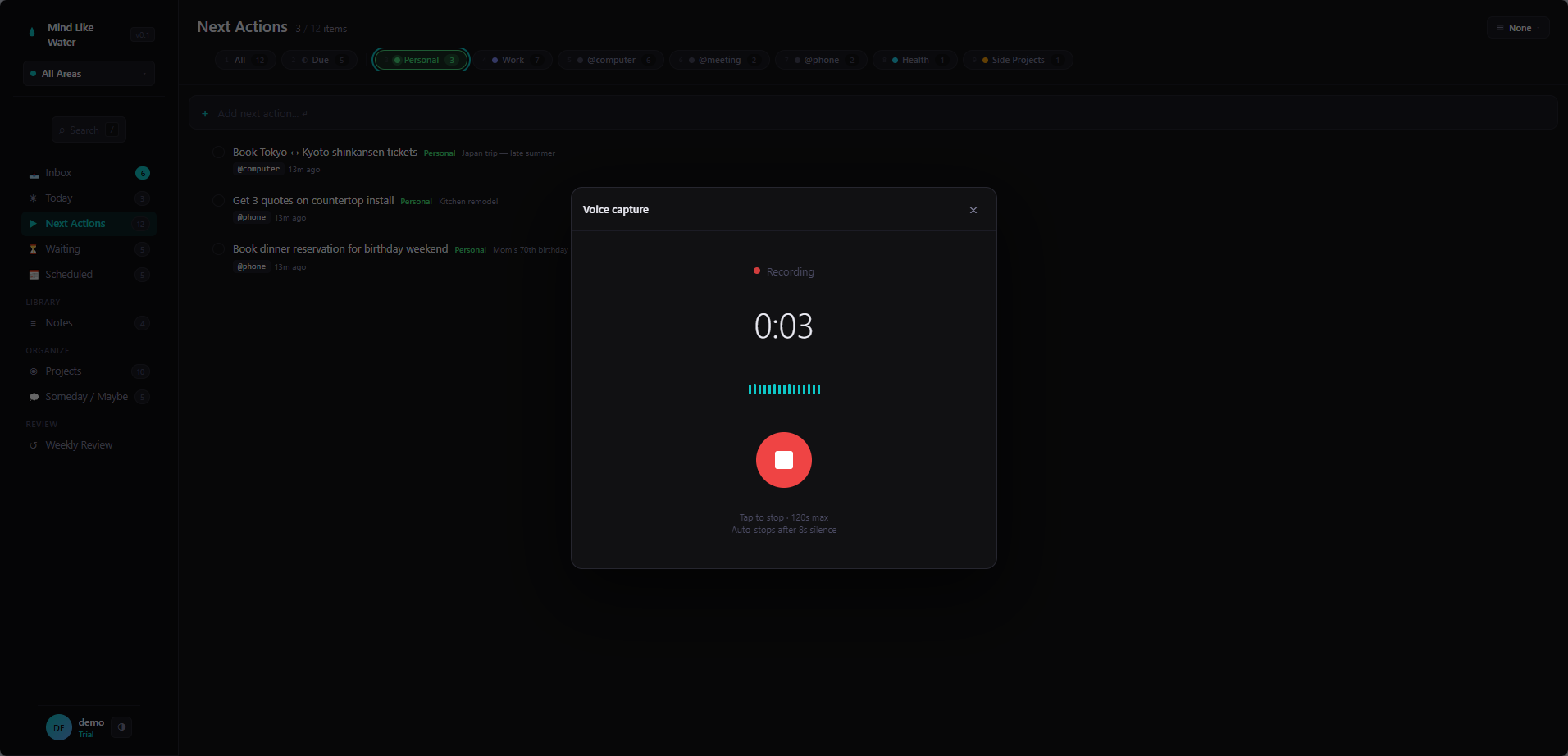
Press Shift + N on your laptop, or tap the microphone on your phone. Talk. Stop talking. Mind Like Water transcribes what you said and pulls out the actual to-dos — with dates and projects already attached — for a quick review before they save.
Built for the moments typing is friction
Walking to the car. Mid-conversation. In the shower with your phone on speaker. The morning brain dump before the day starts. Driving (legally, hands-free). The most useful thoughts you have don't show up at your laptop — they show up when your hands are full.
Voice capture is the surface for those moments. You don't need to remember a syntax. You don't need to format anything. You talk like a person, and the app does the parsing.
How it works
- Press
Shift + Non desktop, or tap the microphone icon at the top of the screen on mobile. - Talk. Say everything you want to capture. When you stop talking, the app picks up that you're done.
- The transcript appears in a review sheet — the full thing, exactly as you said it.
- Below the transcript, AI's task extraction: each candidate to-do shown as its own row, with chips for area, project, tags, and due date already filled in where the model could tell.
- Edit anything. Uncheck anything you don't want saved. Hit Save. Selected items become real tasks; the original transcript stays around as a note for traceability.
If you said "I should email Jane about the contract, and I'm thinking about how to structure the Q3 OKRs," you'll see two task candidates ("Email Jane about the contract," "Structure Q3 OKRs") and a saved note containing the full transcript.
Reflective vs structured — automatically routed
Not everything you say is a to-do. Some of it is thinking out loud. Mind Like Water classifies each chunk and routes accordingly:
- Discrete tasks — concrete actions ("Email Jane," "Pick up cake Friday") → review sheet, your call to save.
- Reflective content — first-person thinking, journaling, processing ("I'm worried about the renewal because…") → appended directly to today's Daily Page without interrupting you to "review" anything.
The distinction matters: a stream-of-consciousness brain dump shouldn't fill your Inbox with phantom tasks. It should land where journal content belongs. So that's where it goes.
The mental model: the app figures out what was a to-do and what was thinking. To-dos get reviewed. Thinking gets journaled.
What gets pulled out automatically
For each extracted task, the AI proposes the same metadata as AI capture — because it's the same engine running on the transcript:
- Area — matched against the Areas you've defined
- Project — matched against your active projects
- Tags — existing or worth-creating
- Due date — when there's a date phrase in what you said
- Status: Waiting — when you said you're blocked on someone
Voice gets a slightly looser confidence threshold than typing — spoken capture tends to be looser, so the extractor is more aggressive about catching what you meant.
What this gets right that other tools miss
You always see what you said before it saves
The full transcript shows up at the top of the review sheet. If something got mangled (rare, but it happens with proper nouns or strong accents), you can edit the task title inline before saving. The underlying transcript stays exactly what you said — searchable, editable, yours.
Brain dumps don't pollute your Inbox
We've used voice tools that took an eight-minute morning ramble and turned it into 47 phantom tasks in your inbox. Mind Like Water's reflective routing keeps that from happening. If you weren't actually committing to a thing, the model doesn't pretend you were.
Mobile-first because that's where voice happens
The microphone is right there in the top header on mobile. No menu, no setting to find. The phone is where most voice captures happen, so that's where the affordance is biggest.
Privacy
Voice capture sends audio to Whisper for transcription and the resulting transcript to Claude for extraction. Once the extraction completes, the audio is dropped. We don't keep recordings. The transcript is saved as a note in your account so you can audit what was captured; deleting the note deletes the transcript.
Pro accounts get a faster, higher-accuracy Whisper variant; free accounts use the standard one. Both are accurate enough for everyday speech.
What this doesn't do (yet)
- No on-device transcription. Both Whisper paths are cloud. On-device transcription is on the roadmap as part of Private Mode; until then, audio leaves your device.
- No streaming transcription. We transcribe after you stop speaking, not as you go. Faster overall, but no partial text mid-sentence.
- No voice commands. Talking doesn't trigger app actions other than "save what I just said." We'd rather not encourage rambling at the app.
Frequently asked
Press Shift+N anywhere on desktop, or tap the microphone icon on mobile. Talk, stop talking when you're done, and Whisper transcribes the audio while AI pulls out structured tasks for you to review before saving.
Discrete tasks become rows you can edit and select in a review sheet — only the ones you check actually get saved. The original full transcript is also saved as a note, so you can audit what was captured. Reflective or journal-style content is appended directly to today's Daily Page without the review interruption.
We use Whisper, OpenAI's industry-standard speech model. Pro accounts get a faster, higher-accuracy variant. Both are very accurate for general speech; the typical error cases are proper nouns, technical jargon, and strong accents. You can edit any extracted task title before saving.
No. Audio is sent to Whisper for transcription, then dropped as soon as extraction completes. Only the resulting transcript (saved as a note) and the tasks you accepted persist. Delete the note to delete the transcript.
Yes. The mobile shell has a microphone icon in the top header — tap it to start recording. Same Whisper + AI pipeline as desktop.
Not yet. Both transcription and extraction happen in the cloud, so voice capture needs a connection. On-device transcription is on the roadmap as part of our Private Mode work.
Capture the thoughts that show up away from your laptop.
14 days free, no credit card. Talk into the app once and you'll feel why this matters.
Start free trial Free for 14 days. Pro is $8/month after.